View all questions & answers for the NSE 6 – LAN Edge 7.6 Architect Exam Materials exam
NSE 6 – LAN Edge 7.6 Architect Exam Materials - Question #24 Discussion
Community Explanations & Comments (4)
Mohamed Fetouh Mohamed
11 months ago
Selected: D
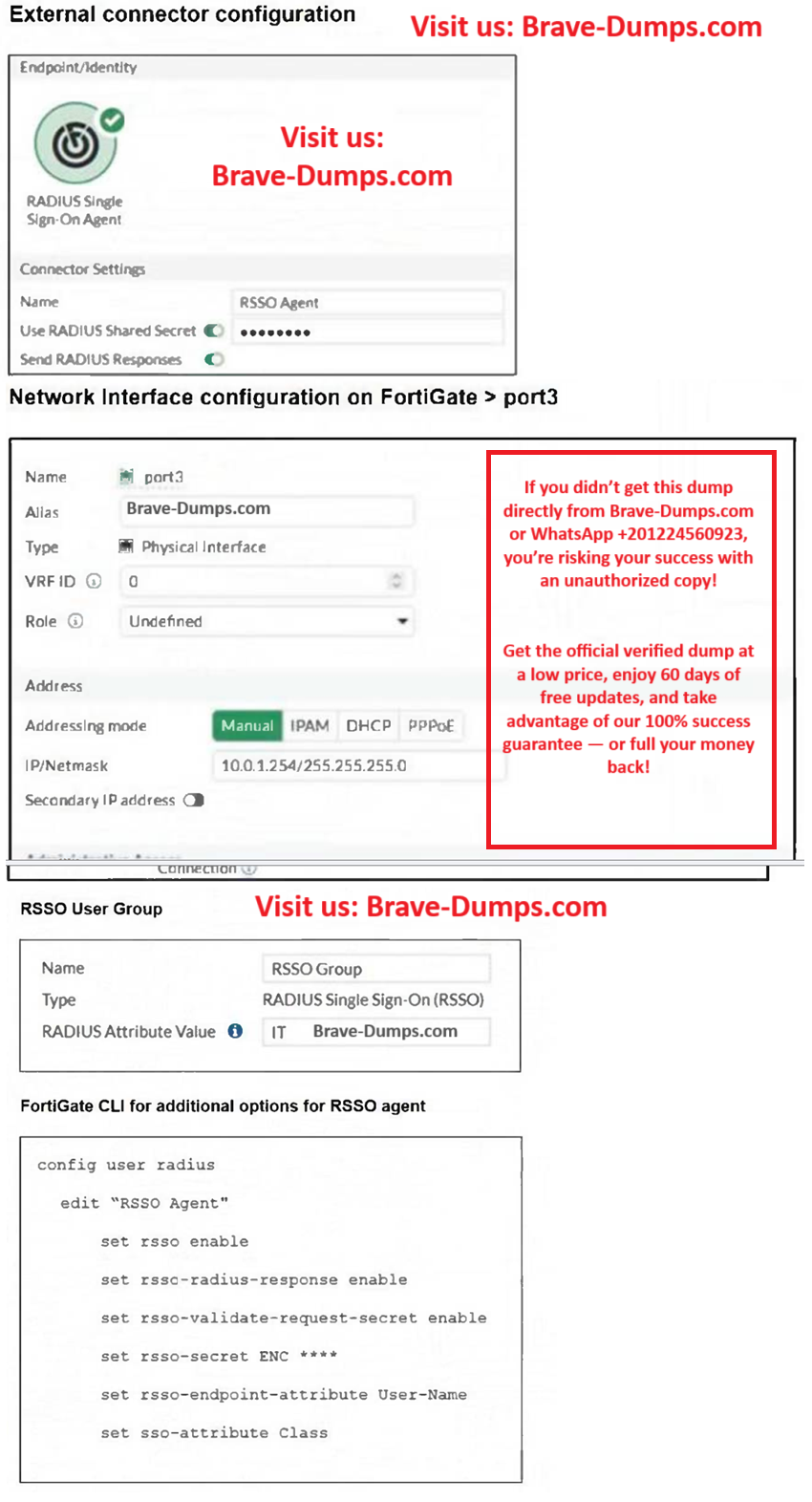
rsso-radius response is already enabled not disabled. The attributes is different ( IT vs user )
Mohamed Shaban
8 months ago
Selected: C
The answer is C, because “detailed usage information” implies that RADIUS accounting is not enabled on port 3.
The port 3 configuration screenshot is truncated at the bottom, so the part showing the allow-access settings is missing, which would confirm whether RADIUS accounting is actually not allowed on that port
The port 3 configuration screenshot is truncated at the bottom, so the part showing the allow-access settings is missing, which would confirm whether RADIUS accounting is actually not allowed on that port
Anonymous User
7 months ago
Selected: C
Admin - Can you confirm?
Brave-Dumps.com Admin
7 months ago
C is the correct one
Anonymous User
6 months ago
Selected: C
C is correct.
Refer to the exhibits. You have configured RADIUS single sign-on (RSSO) on a FortiGate device, ensuring that all settings are correct and the integration with the RADIUS server is correctly established. Communication between FortiGate and the RADIUS server is happening through port3. After testing, you notice that while user authentication and RSSO activity are functioning as expected, the RADIUS server does not display session logs or detailed usage information. What is the most likely reason for this issue? (Choose one answer)
Brave-Dump Community Votes